
How DocRouter Works
Simple, powerful document processing that integrates seamlessly into your workflow
The DocRouter Process
1. Upload Documents
Send documents via email, API, or web interface. We support PDFs, images, and scanned documents.
2. AI Processing
Our AI extracts data, validates information, and structures it according to your specifications.
3. Get Results
Receive structured data via API, webhook, or direct integration with your existing systems.
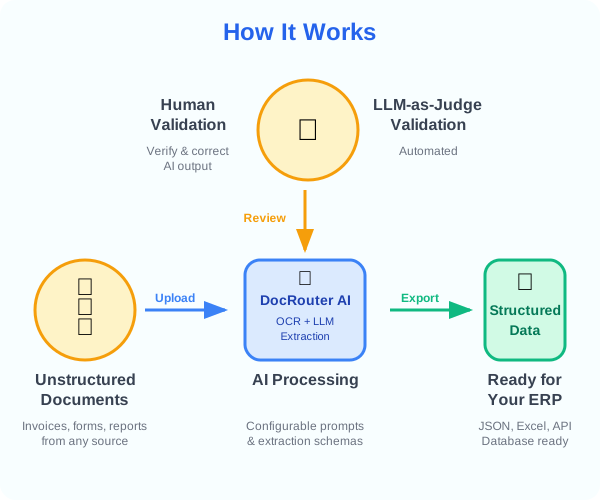
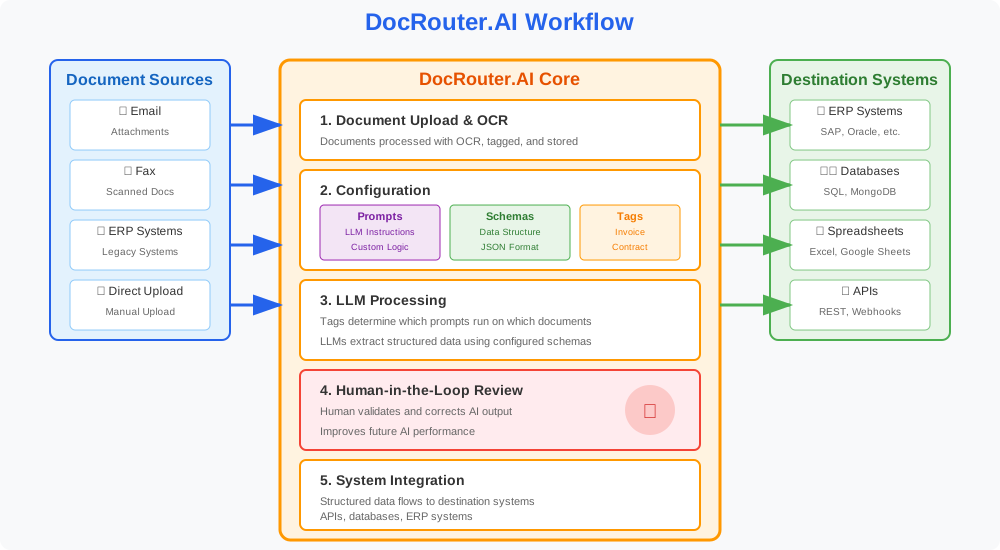
Documents flow through automated processing with human oversight for quality control
User Experience
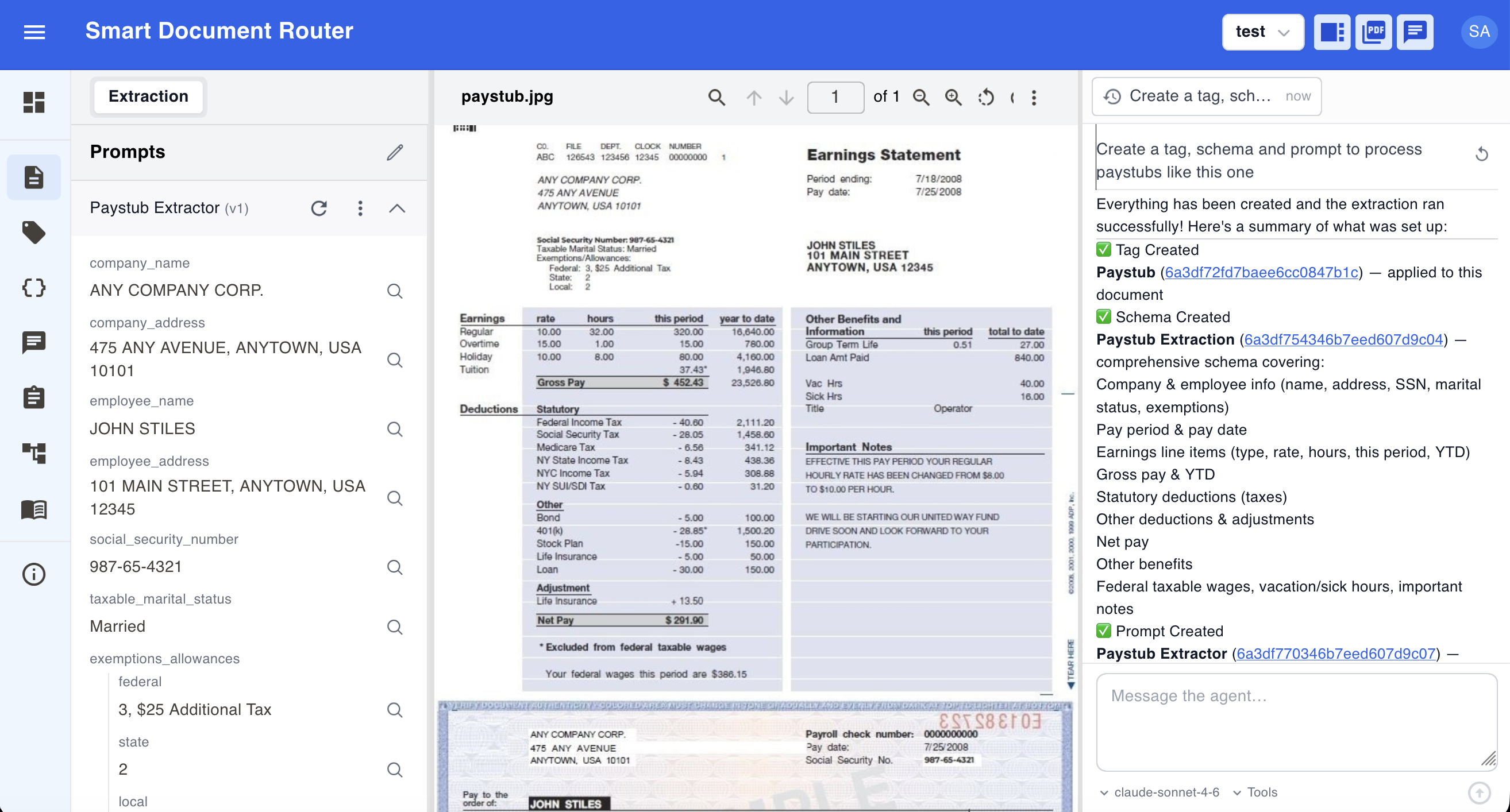
Integration Methods
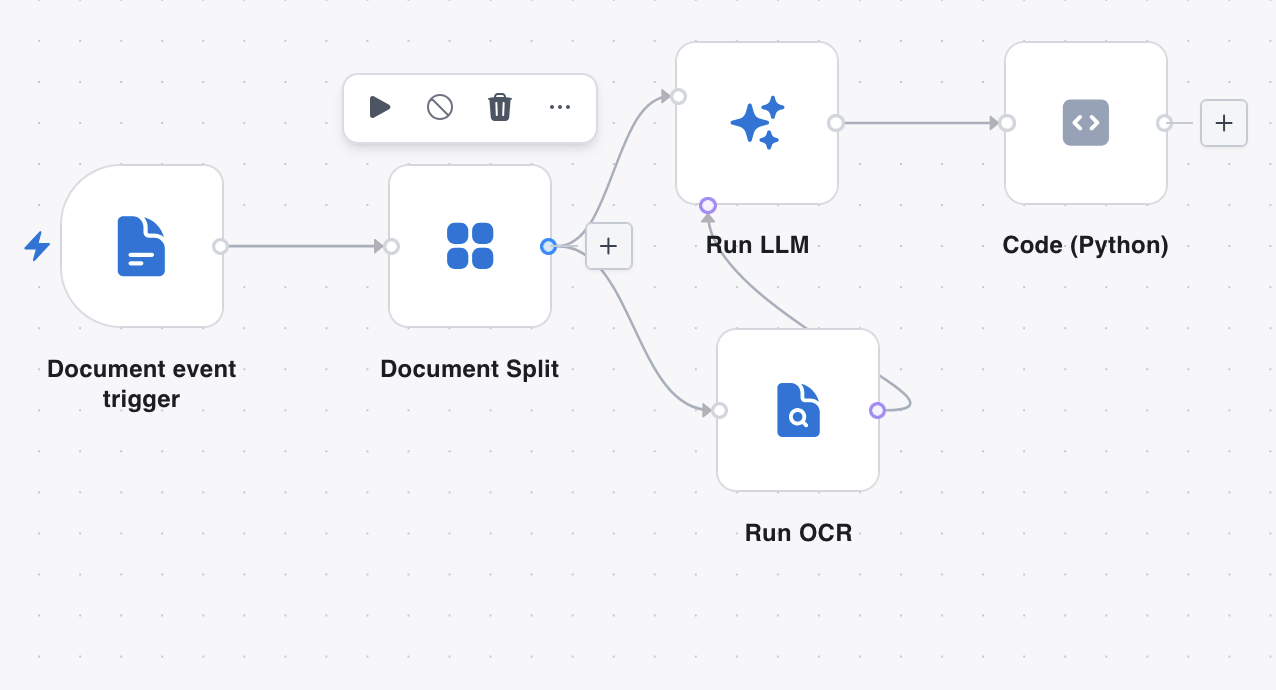
DocRouter Flows
Built-in visual automation — canvas, OCR/LLM nodes, Gmail and Drive connectors, execution logs.
View Flows docs →REST API
Complete programmatic control for uploading documents and retrieving structured data via standard HTTP requests.
View API Docs →Webhooks
Real-time push notifications sent to your server immediately when document processing is completed or fails.
View Webhooks →Python & TS SDKs
Type-safe client libraries for faster development in Python and JavaScript/TypeScript environments.
MCP
Model Context Protocol server for direct integration with AI assistants like Claude Code and Cursor.
View MCP Docs →n8n
Custom DocRouter n8n connector. Connect DocRouter to hundreds of apps without writing code.
View n8n Setup →Power Automate
Microsoft cloud flows with the DocRouter custom connector.
View Power Automate docs →Temporal
Durable execution for mission-critical document workflows that require high reliability and state management.
View Temporal Docs →Technical Details
Processing Capabilities
- Handwritten text recognition
- Printed text extraction
- Table and form parsing
- Signature detection
- Multi-language support
- Image quality enhancement
Supported Formats
- PDF documents
- JPEG, PNG images
- Scanned documents
- Emails and Faxes
- ...and many more!
Learn More
Once you understand the high-level flow, these docs cover each building block in more detail:
- Quick Start — Step-by-step Tag → Prompt → Upload workflow.
- Tags — Required routing layer that connects uploads to prompts.
- Prompts — Instructions that drive AI extraction.
- Schemas — Structured output for your extraction results.
- Flows — Visual pipelines for split, OCR, LLM, and downstream delivery.
Get Started Today
Ready to automate your document processing? Choose the path that works best for your team.