
Insurance document indexing
Put the right policy page in front of the agent
A coverage review can miss an exclusion when the endorsement never reaches the agent. DocRouter indexes your insurance file store so workflows can retrieve and cite the original pages.
Index once. Let every agent use it.
From first notice to first coverage review
- The loss is reportedThe insured reports water damage. The workflow looks up the claim and policy.
- The endorsement surfacesThe agent finds a water backup endorsement and cites the page in its first coverage review.
- The adjuster opens the pageThe adjuster checks the cited language, follows up with the insured, and makes the coverage decision.
Illustrative finding
Water backup coverage may apply. Confirm where the water entered.
Source: Water Backup Endorsement, page 2.
Ask the insured: Did the water come up through a drain?
In a consulting engagement, we deployed an Investigation Support agent that gives adjusters a cited first pass. Read the case study or explore the agent design.
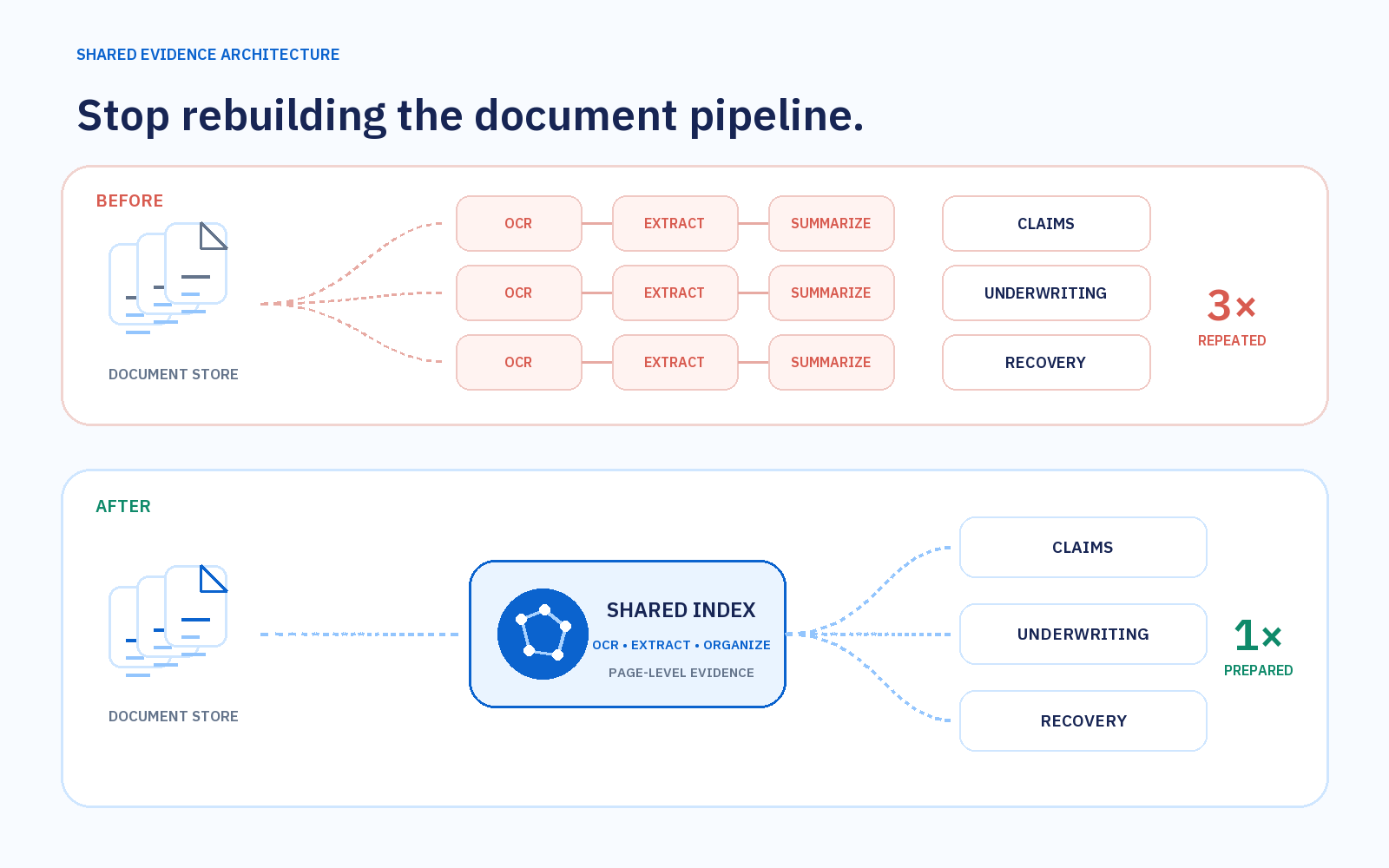
One index for claims, underwriting, and recovery
Files stay in the insurer’s existing systems. Workflows built in DocRouter or on the insurer’s own platform can call the same index through an API.
Test one claims workflow
Start with access to the relevant files and a claims expert who can mark the pages that matter. Agree on a retrieval target before running the cases.
- Evidence foundWhich expert-marked pages did the workflow find or miss?
- Reviewer correctionsHow often did the adjuster change a finding?
- Time spent gathering evidenceHow does the first pass compare with the current process?
When you add a second workflow, measure how much document processing it can reuse.
Discuss a claims pilot