
DocRouter REST API Reference
Everything in the DocRouter UI is available through REST APIs. Build custom integrations, automate workflows, and access all features programmatically.
Authentication
The DocRouter REST API uses token-based authentication. Choose the appropriate token type based on your integration needs:
/v0/account
Settings → Account Tokens
/v0/orgs/{organization_id}
Settings → Organization Tokens
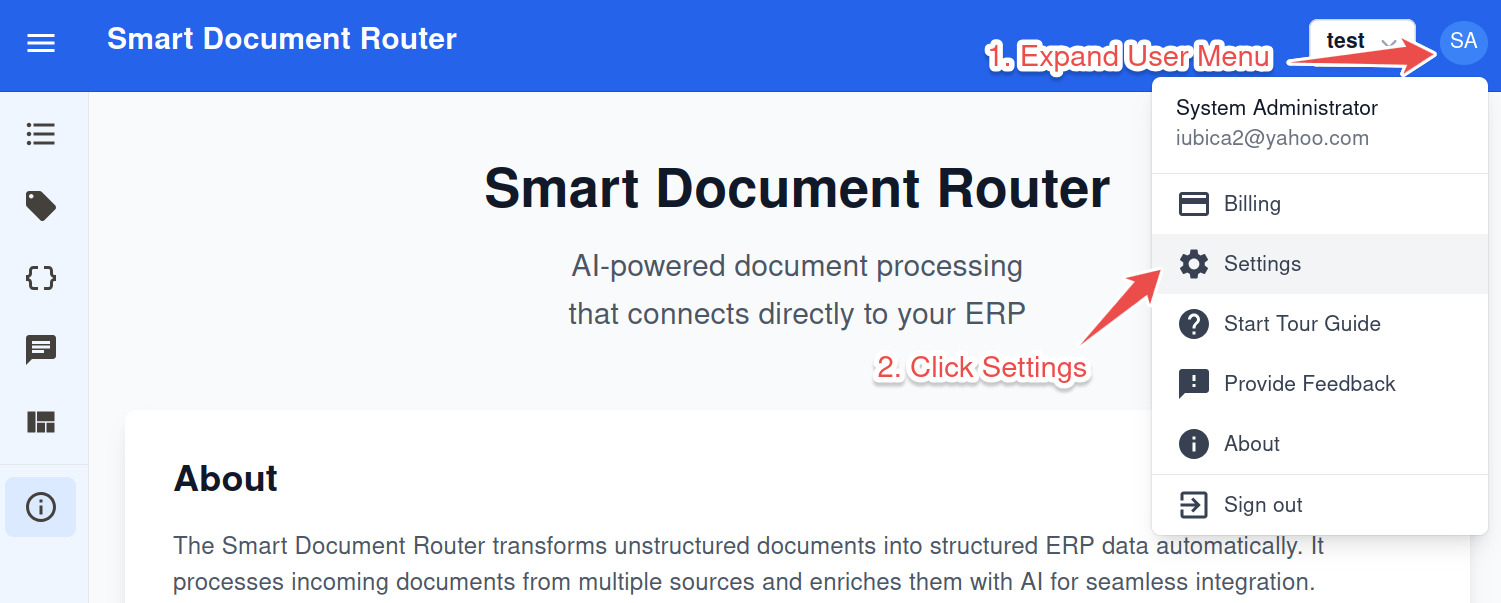
Token Management Interface
Access Settings
Click your user menu → Settings
Manage Tokens
Click "Manage" for Account or Organization Tokens
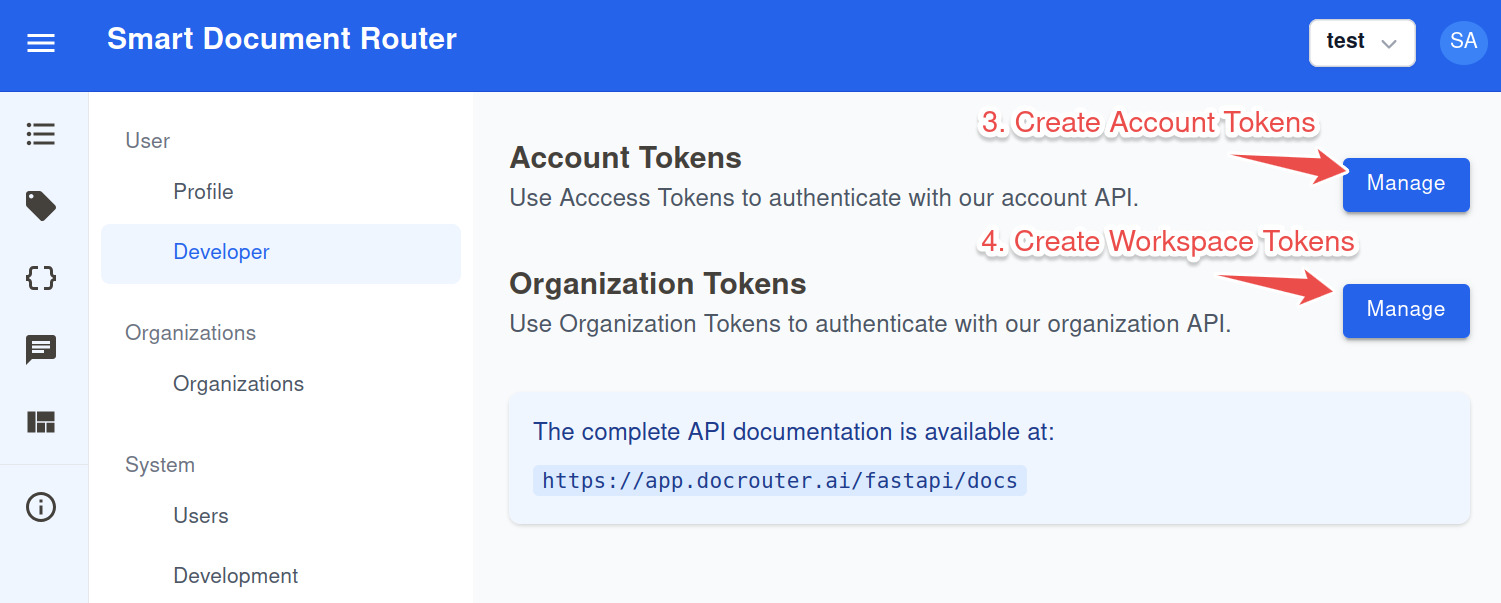
Screenshots showing how to access the token management interface in the DocRouter application
API Examples
Interactive Documentation
Our interactive API documentation makes it easy to test endpoints, generate code samples, and understand the API structure.
Authenticate
- Click the "Authorize" button
- Enter your API token
- Click "Authorize" to authenticate
Test Endpoints
- Browse endpoints by category
- Click "Try it out" to enable
- Fill parameters and click "Execute"
Generate Code
- View the "Response" section
- Find the "Curl" tab
- Copy commands for your scripts
Resources & Tools
Access the complete OpenAPI 3.0 specification for code generation and API exploration.
Ready-to-use SDKs for integrating DocRouter into your applications.