
Why simple LLM pipelines often fail when documents become large, messy, and operationally important—and how production systems are designed differently.
Uploading a PDF to an LLM is easy.
Building reliable document AI is not.
Almost every major language model now allows users to attach a PDF or Microsoft Word document and ask questions about it. That creates the impression that document processing has become simple:
- Upload a document
- Write a prompt
- Receive structured results
For a short, clean document and a one-time task, that may be enough. At production scale, document processing becomes a much more complicated engineering problem. The central question is no longer simply:
Can a language model read this document?
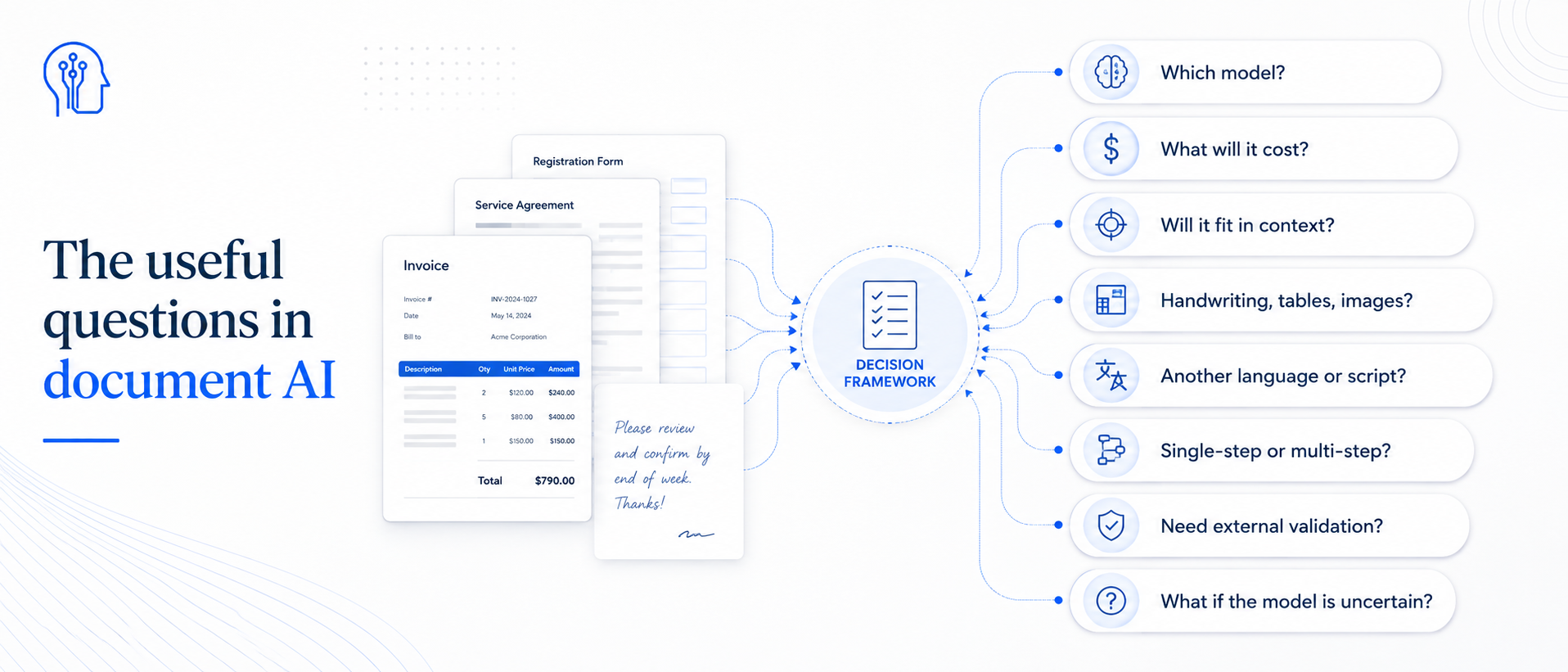
The more useful questions are:
- Which model should process it?
- How much will processing cost?
- Can the entire document fit into the model's context?
- Does it contain handwriting, tables, images, or unusual formatting?
- Is it written in another language or script?
- Does processing require several steps?
- Do results need checking against an external system?
- What happens when the model is uncertain or wrong?
Model selection
Different models have different strengths
Language models are not interchangeable. Some are especially strong conversational assistants. Others are optimized for coding, reasoning, speed, multilingual work, or visual understanding.
A model that performs extremely well on software-development tasks may not be the best choice for extracting information from a complex insurance packet. A strong general-purpose conversational model may struggle with dense tables, handwritten notes, low-quality scans, or unfamiliar document layouts.
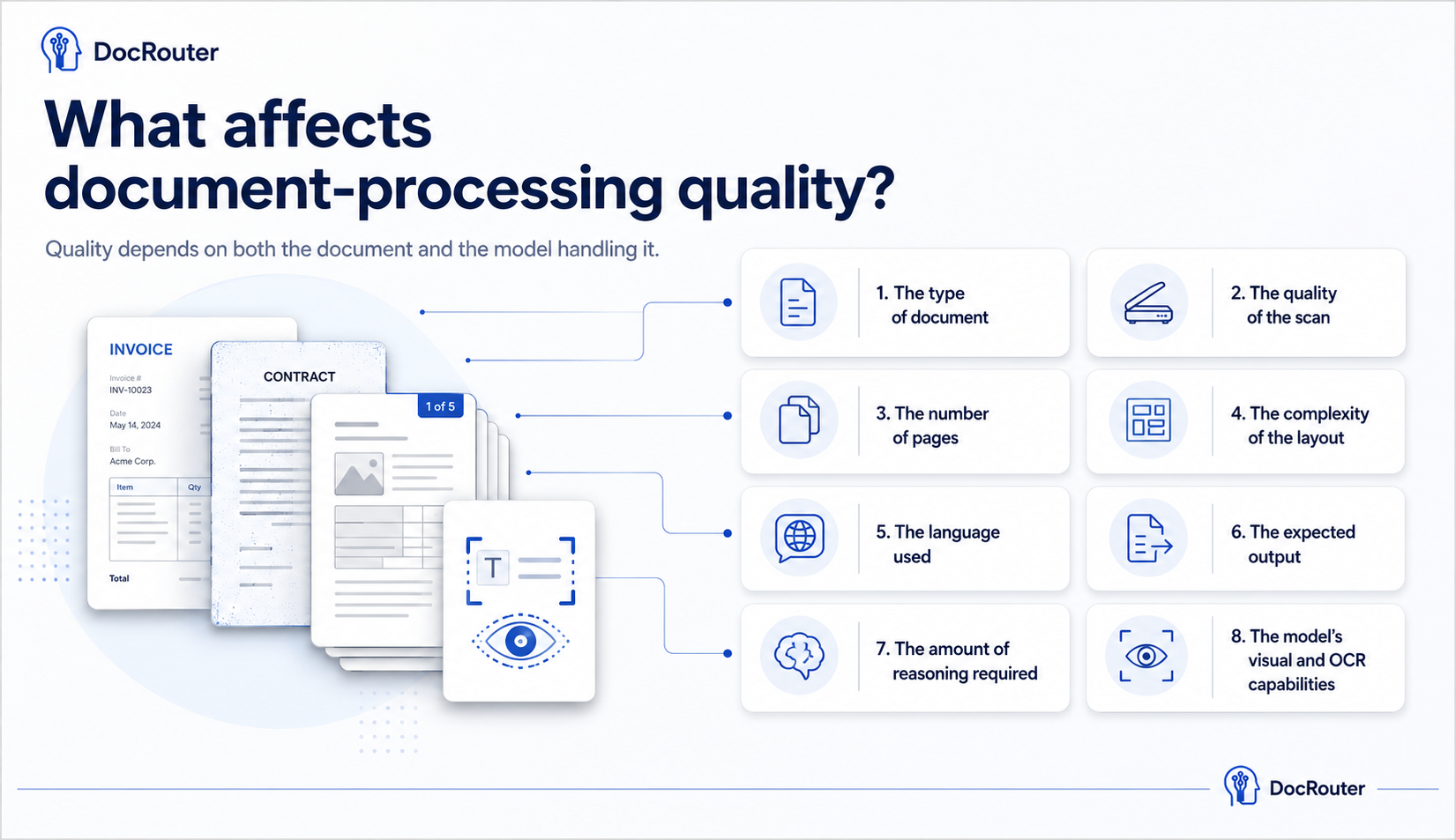
Document-processing quality can depend on many factors:
- The type of document
- The quality of the scan
- The number of pages
- The complexity of the layout
- The language used
- The expected output
- The amount of reasoning required
- The model's visual and OCR capabilities
Choosing a model should be treated as an evaluation problem, not as a matter of brand preference.
Cost at scale
Quality is only half of the equation
The highest-quality model is not always the right model. Document processing at scale can become expensive. A workflow that looks inexpensive when tested on ten documents may become costly when it processes hundreds of thousands of pages.
The total cost can include:
- OCR
- Input tokens
- Output tokens
- Multiple model calls
- Retries
- Validation steps
- Human review
- Data storage
- Workflow infrastructure
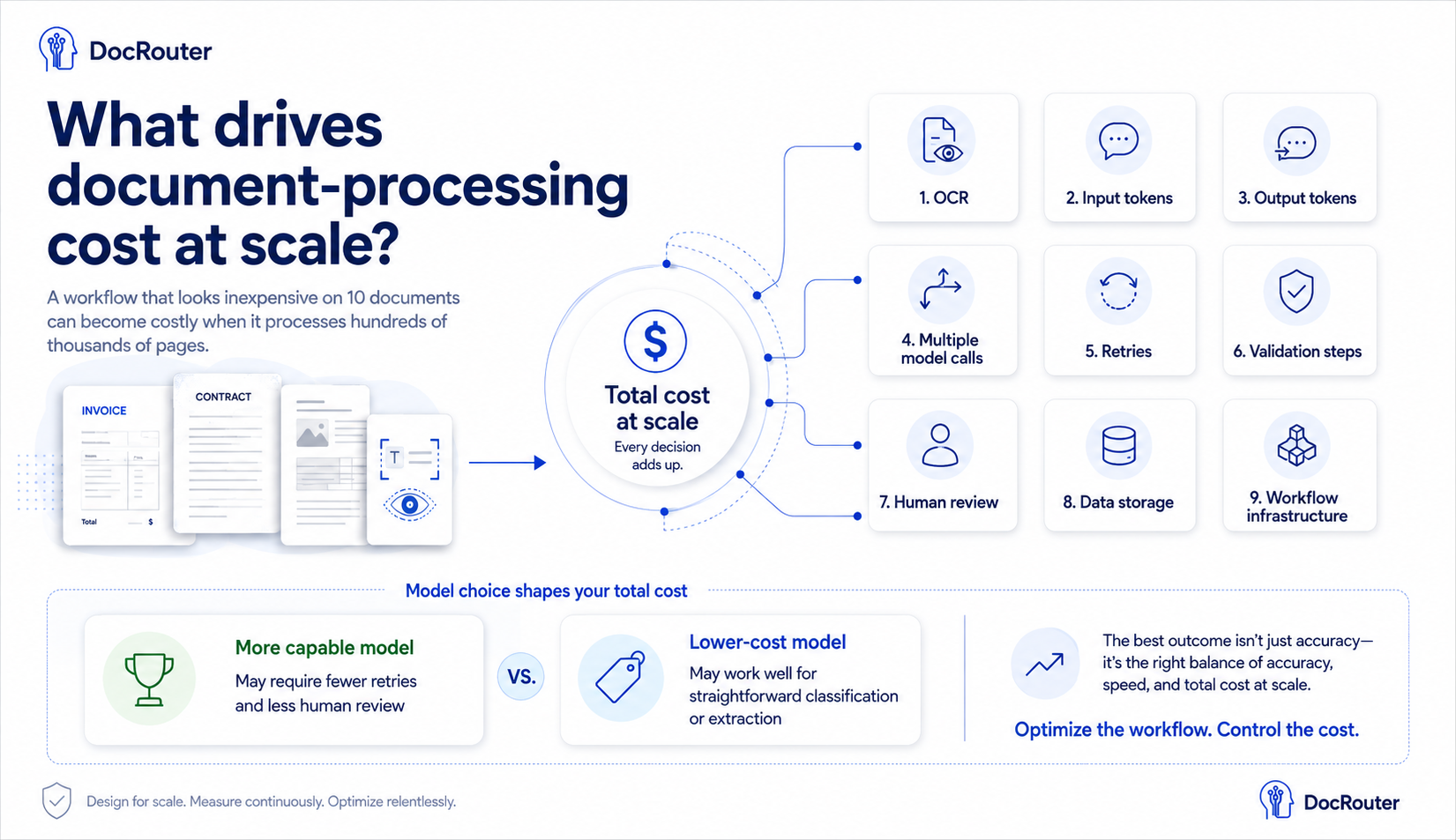
A more capable model may require fewer retries and less human review. A cheaper model may work perfectly well for straightforward classification or extraction tasks.
That architecture may use one model for every document. More often, it uses several:
- Fast, inexpensive model Classification and straightforward routing
- Specialized OCR Scanned pages and layout-heavy forms
- Stronger reasoning model Difficult cases and dense packets
- Human reviewer Uncertain or high-stakes results
Large packets
Large documents require orchestration
Simple case
10-page PDF
Often processed in a single request
Production case
500-page packet
Medical, legal, financial, or insurance—needs a workflow
Even when a model supports a very large context window, passing the entire document in one request may not produce the best results. Important information may be scattered across hundreds of pages. Sections may need to be classified, separated, summarized, compared, or reconciled.
A large-document workflow might need to:
- Split the packet into logical sections
- Classify each section
- Route each document type to a specialized processor
- Extract structured data
- Compare information across documents
- Identify contradictions or missing information
- Reconcile the results into a final output
This is not a single prompt. It is an orchestrated workflow.
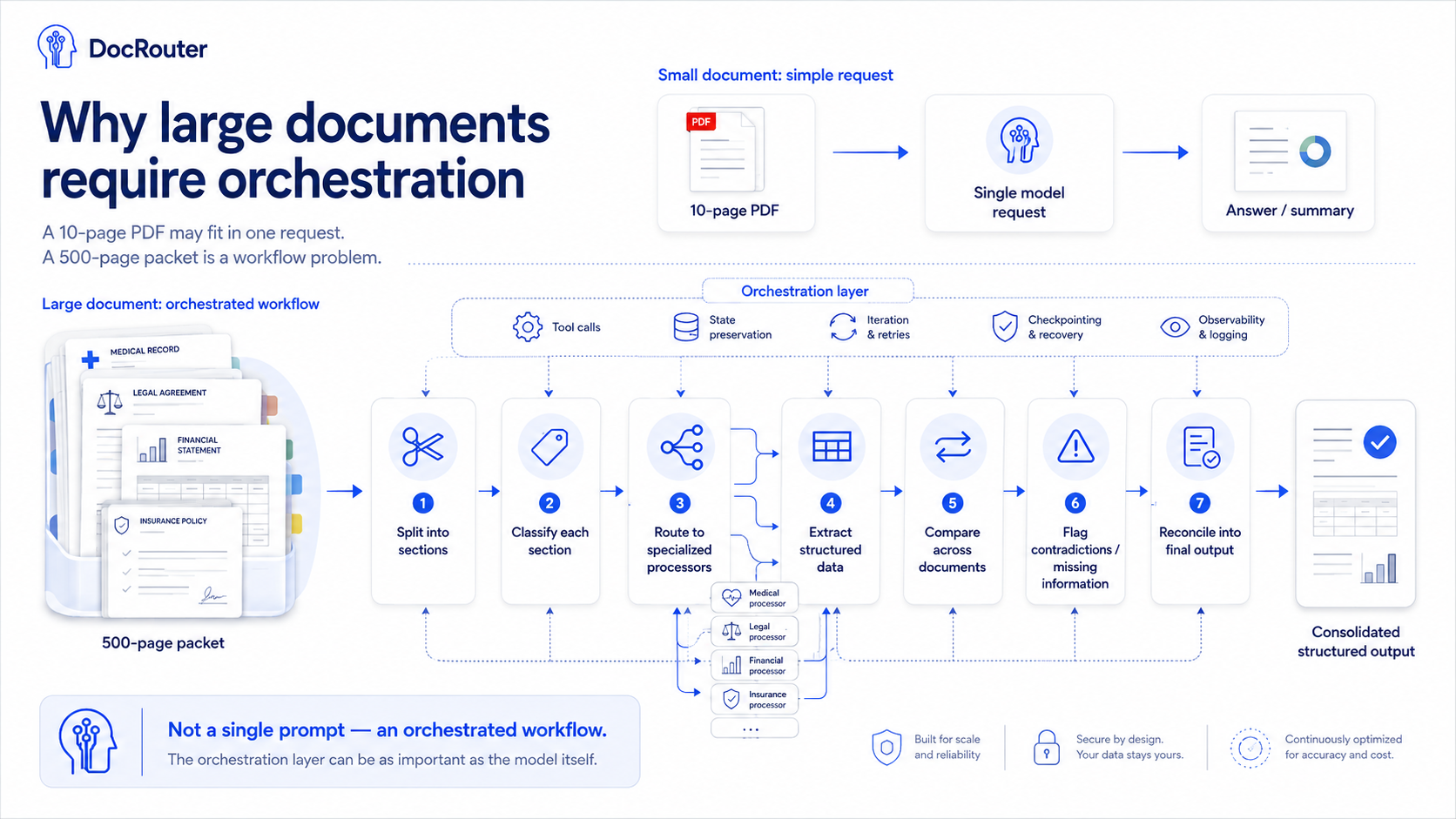
Some models and platforms provide internal agentic capabilities that can perform several actions iteratively. In other cases, the surrounding application must manage the steps, preserve state, call tools, handle failures, and combine the outputs.
Messy inputs
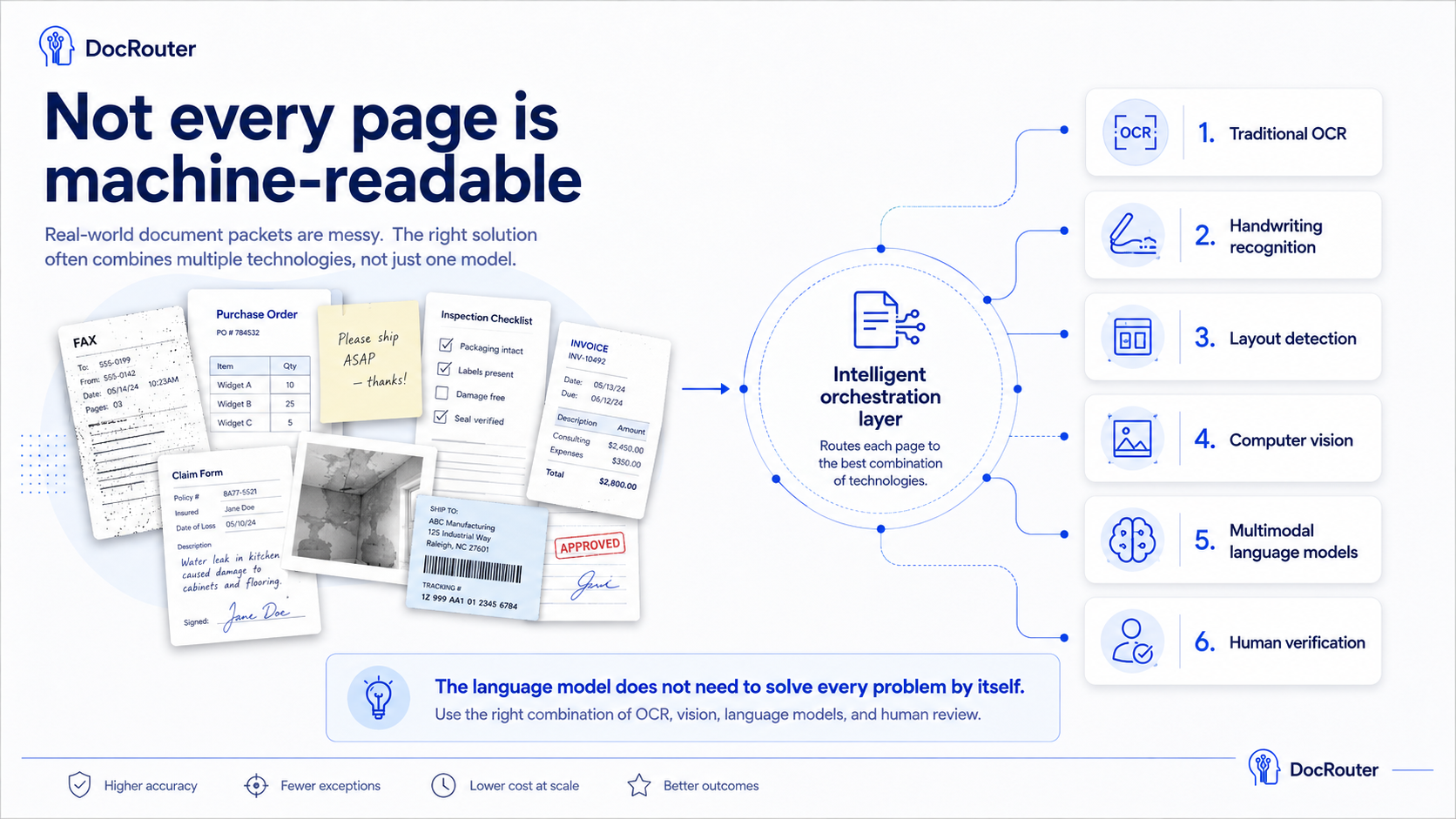
Not every page is machine-readable
Real-world documents are messy. They may contain:
- Handwriting
- Fax artifacts
- Rotated pages
- Stamps
- Signatures
- Checkboxes
- Tables
- Embedded images
- Low-resolution scans
- Multiple documents combined into one packet
Language models can often interpret many of these elements, but performance varies. Handwriting is particularly challenging, especially when the scan quality is poor or the writing is highly individual.
The right approach often combines several technologies:
- Traditional OCR
- Handwriting recognition
- Layout detection
- Computer vision
- Multimodal language models
- Human verification
Global operations
Language and script matter
Global document-processing systems must also handle multilingual content. A model may perform well in English but produce weaker results in another language. Performance can vary further when documents use non-Latin scripts or mix several languages on the same page.
The system may need to determine:
- What language is present
- Whether multiple languages are used
- Whether translation is required
- Whether to extract before or after translation
- Which model performs best for that language
- Whether original text must be preserved for audit
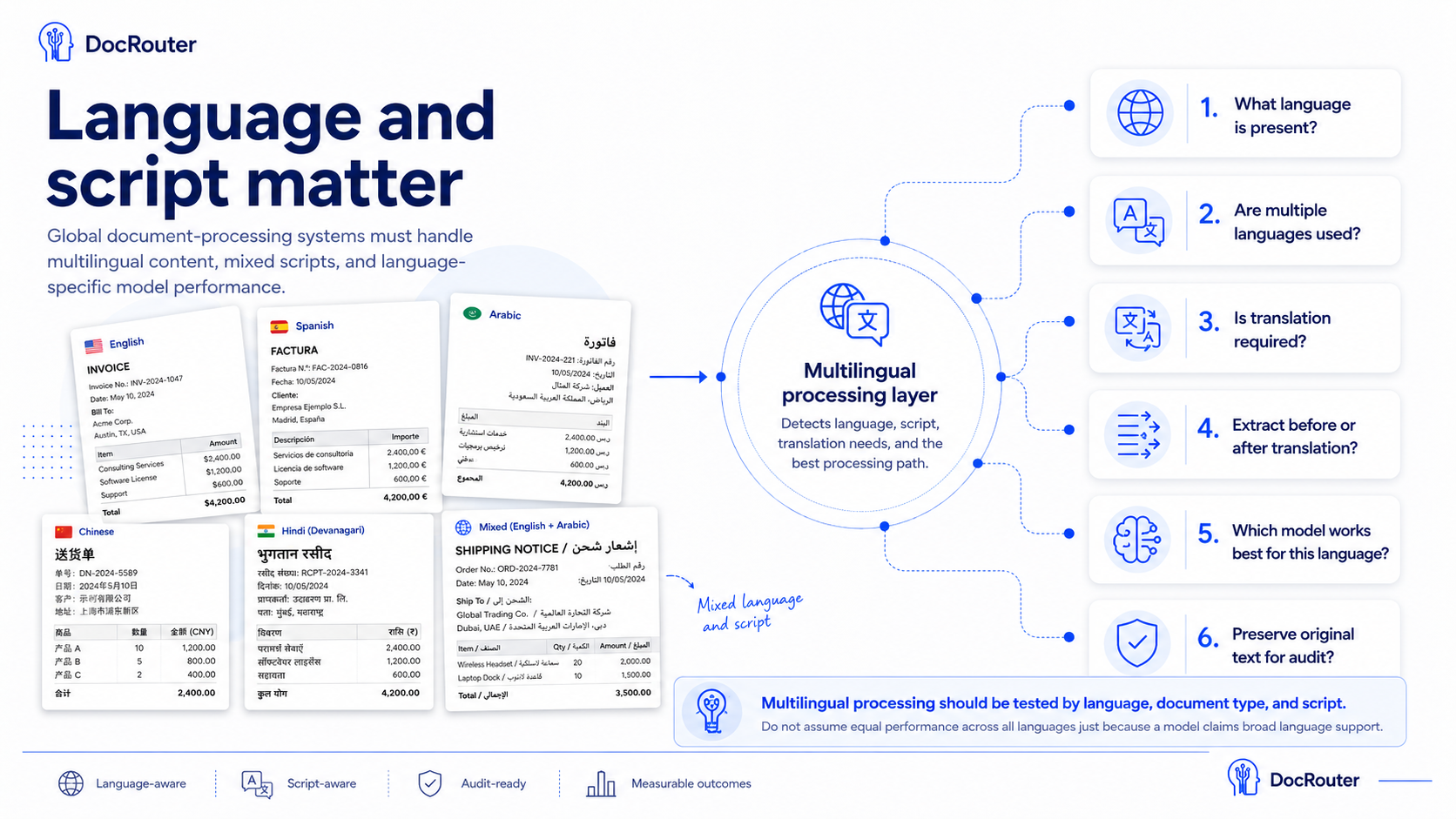
Multilingual processing should be tested by language, document type, and script—not assumed from a model's general language-support claims.
Workflow design
Many document tasks require multiple steps
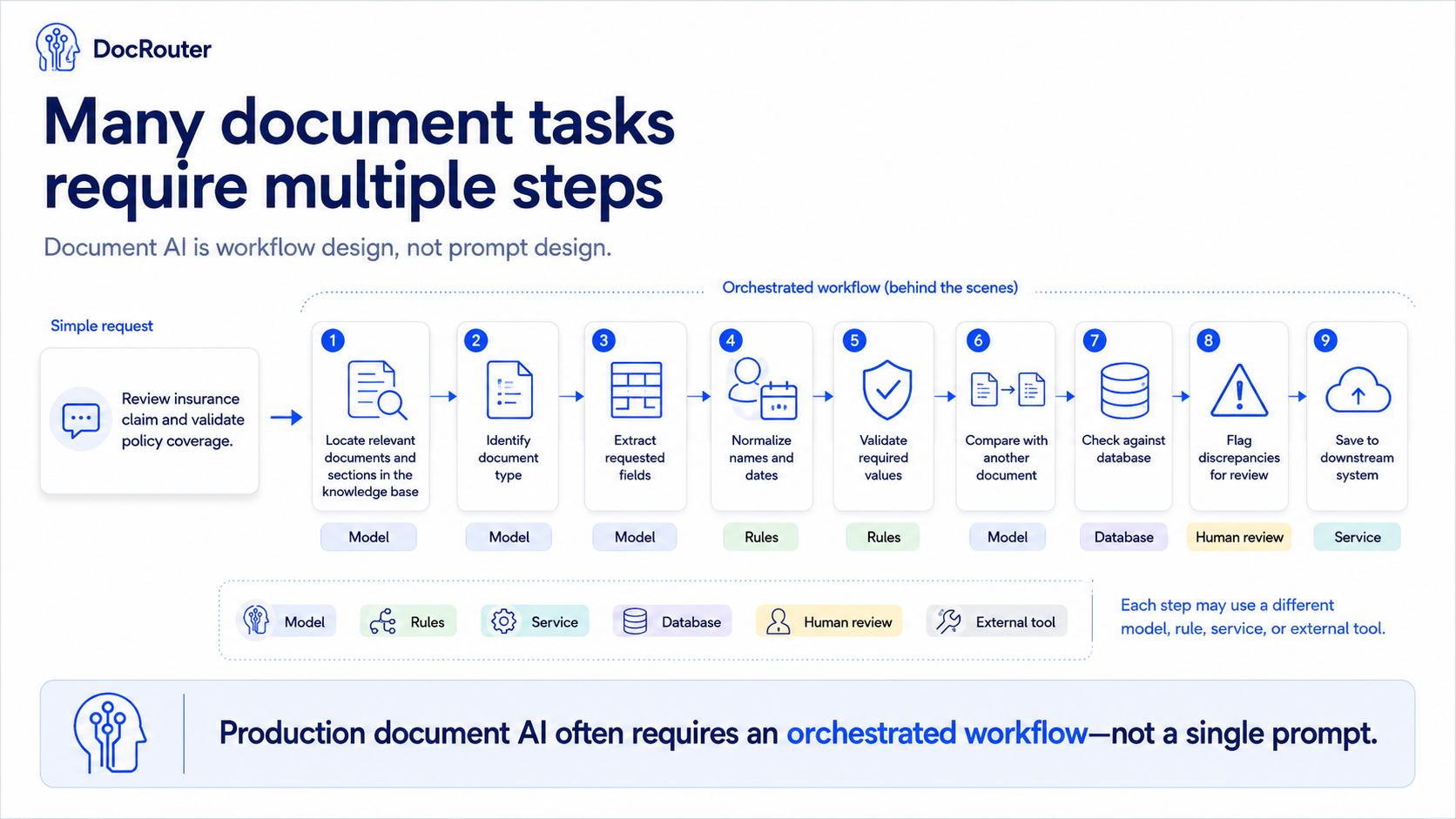
A document-processing task may sound simple:
Review insurance claim, and validate policy coverage.
A production workflow may require much more:
- Identify the document type
- Locate the relevant section
- Extract the requested fields
- Normalize names and dates
- Validate required values
- Compare the information with another document
- Check the result against a database
- Flag discrepancies for review
- Save the result in a downstream system
Each step may use a different model, rule, service, or external tool.
Systems integration
External tools are often essential
Language models process the information placed in their context, but many business decisions depend on information outside the document. For example, the workflow may need to:
- Verify a customer against a database
- Confirm that an identifier exists
- Retrieve an insurance policy
- Check a payment amount
- Compare a document against a contract
- Validate an address
- Look up historical records
- Update a claims or case-management system
The model must therefore be able to interact with external tools and systems. That introduces additional engineering requirements:
- Authentication
- Permissions
- Error handling
- Audit trails
- Data validation
- Retry logic
- Human approval
A useful document-processing platform must coordinate both unstructured documents and structured systems.
DocRouter
One platform, many processing paths
DocRouter is designed around the idea that no single model, cloud, or processing pattern is right for every document. It integrates with multiple cloud providers, OCR systems, and language models. A workflow can use a direct, single-shot model call for a simple task or a multi-step process for a large and complex document packet.
DocRouter workflows can include:
- Document classification
- OCR
- Structured extraction
- Multi-model routing
- Agents
- External tools
- Database validation
- Branching logic
- Human review
- Final reconciliation
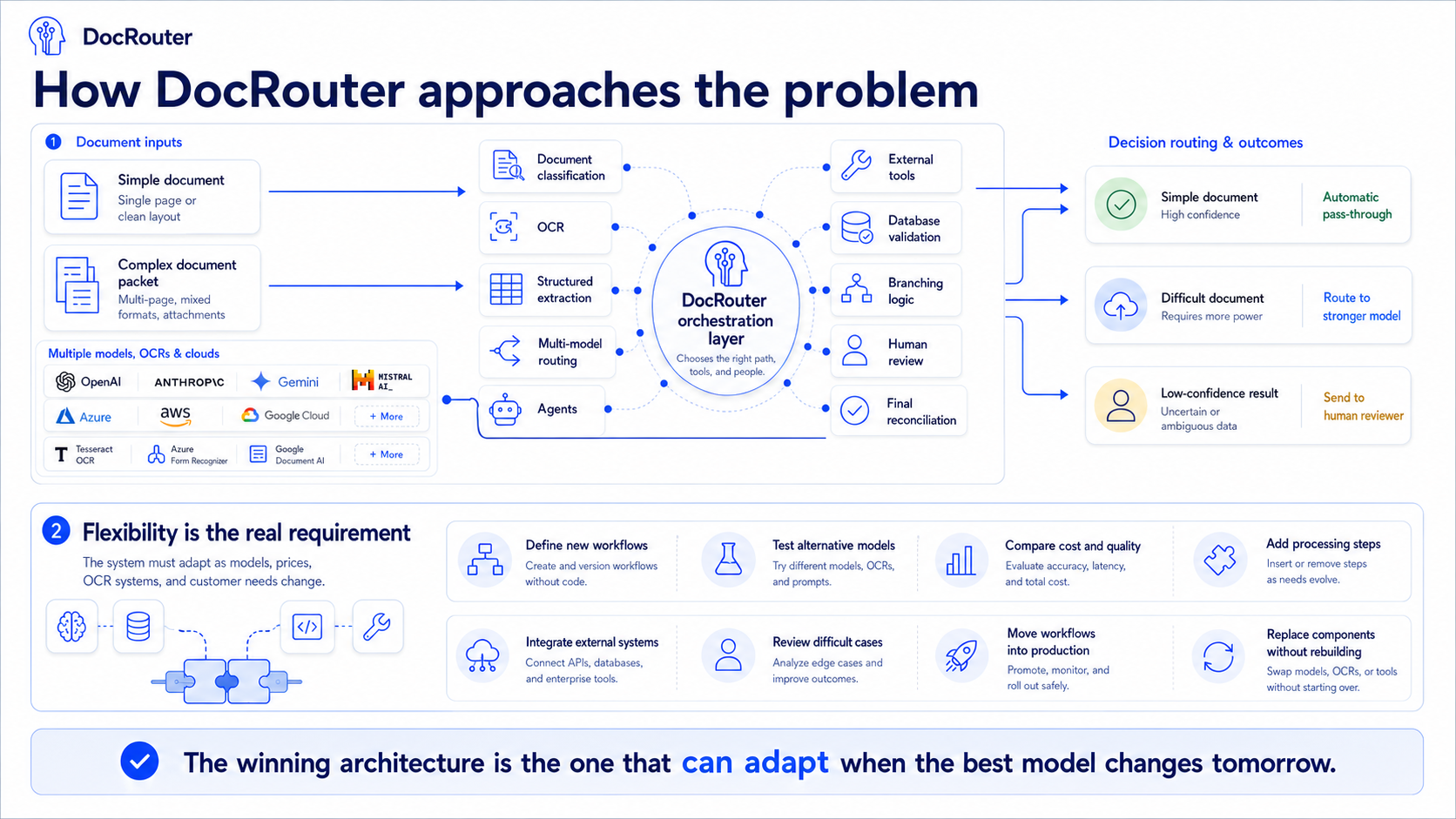
This flexibility makes it possible to start with a straightforward pipeline and add more sophisticated processing only where it is needed.
Simple document
Passes through automatically
Difficult document
Routed to a stronger model
Low confidence
Sent to a human reviewer
The goal is not to place a human in every workflow. It is to involve a human only when automation cannot produce a sufficiently reliable result.
Architecture
Flexibility is the real requirement
Document AI is evolving quickly. Models improve, prices change, new OCR systems appear, and customer requirements become more sophisticated. A production system must therefore make it easy to:
- Define new workflows
- Test alternative models
- Compare cost and quality
- Add processing steps
- Integrate external systems
- Review difficult cases
- Move workflows into production
- Replace components without rebuilding everything
Production capabilities
What DocRouter.AI solves
These are not open research questions for us. They are the problems DocRouter.AI was built to address in production:
- Evaluate language models on real documents—not vendor benchmarks
- Choose OCR or a multimodal model based on the page, not a single default
- Process packets with hundreds of pages through orchestrated workflows
- Compare quality, latency, and cost across models and pipelines
- Build reliable multi-step workflows with branching, tools, and state
- Use human review only for uncertain or high-stakes results
- Validate model output against external systems before it becomes a business decision
Document AI is no longer limited by whether a model can read a PDF.
With DocRouter.AI, you can process diverse documents reliably, economically, and at scale.